
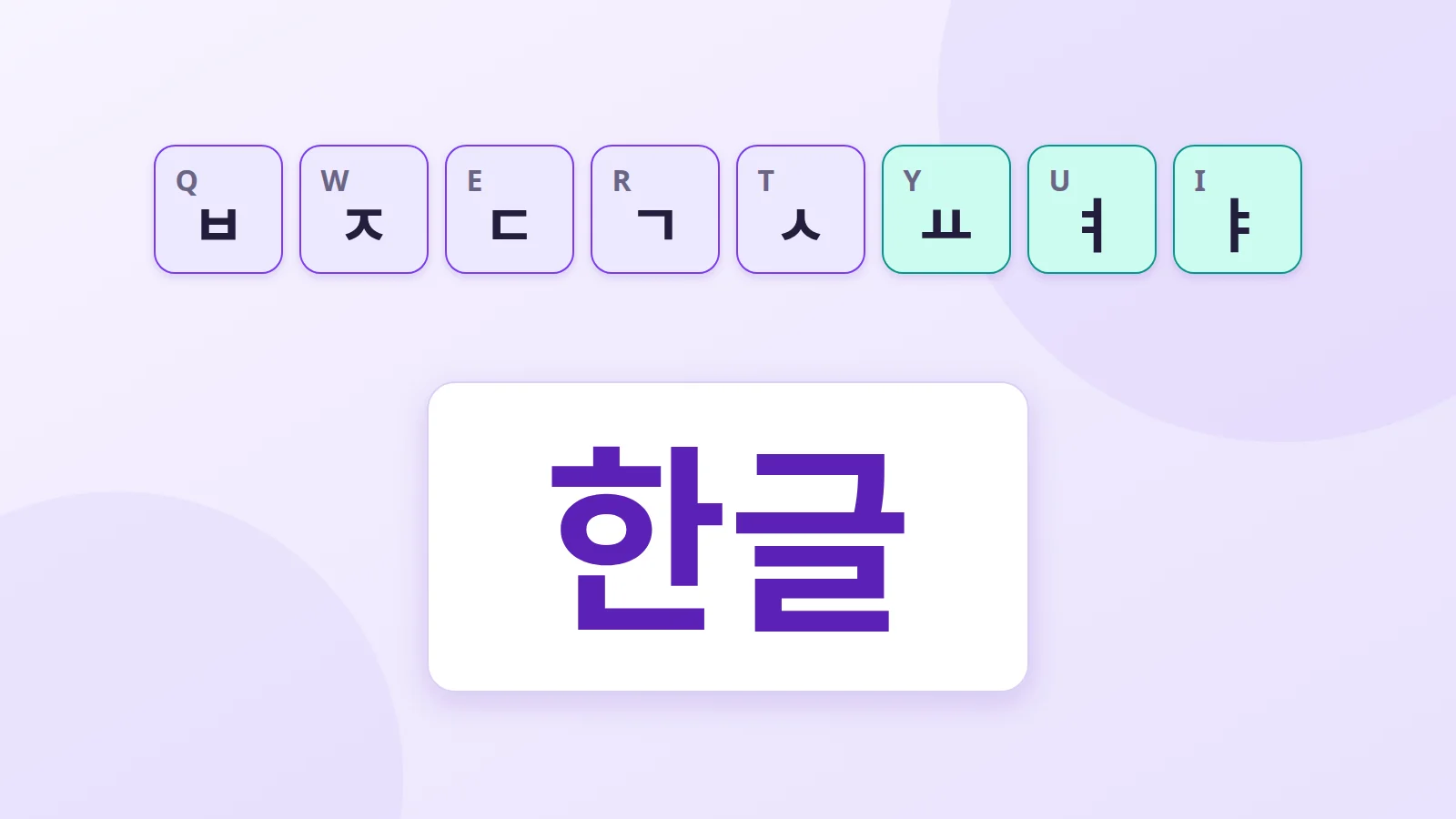
The Korean alphabet, Hangul, was created in the 15th century under King Sejong to be easy to learn. It also suits the keyboard very well: once you know the keys, typing Korean is fast and rhythmic. Here's how it works.
Letters grouped into syllables
Hangul is an alphabet: each sign stands for a sound. But instead of lining letters up, Korean groups them into blocks, one block per syllable.
The word "Hangul" (한글) is written as two blocks:
- 한 (han) = ㅎ (h) + ㅏ (a) + ㄴ (n)
- 글 (geul) = ㄱ (g) + ㅡ (eu) + ㄹ (l)
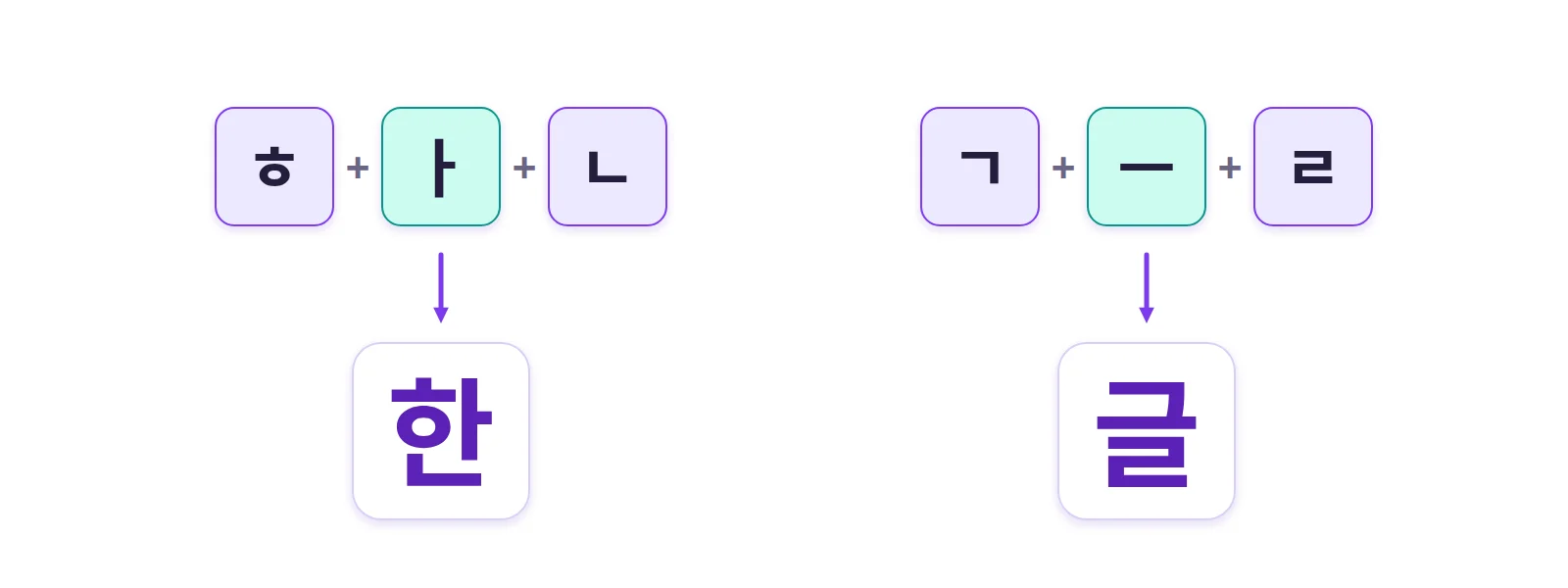
Each block starts with a consonant, followed by a vowel, and sometimes one or two final consonants (the batchim) placed underneath.
On a keyboard you type the letters one at a time, and the software assembles them into blocks.
The standard keyboard: dubeolsik
The layout used by almost every Korean is called dubeolsik (두벌식, "two sets"). Its principle is simple:
- left hand: consonants (ㅂ ㅈ ㄷ ㄱ ㅅ ㅁ ㄴ ㅇ ㄹ ㅎ ㅋ ㅌ ㅊ ㅍ);
- right hand: vowels (ㅛ ㅕ ㅑ ㅐ ㅔ ㅗ ㅓ ㅏ ㅣ ㅠ ㅜ ㅡ).
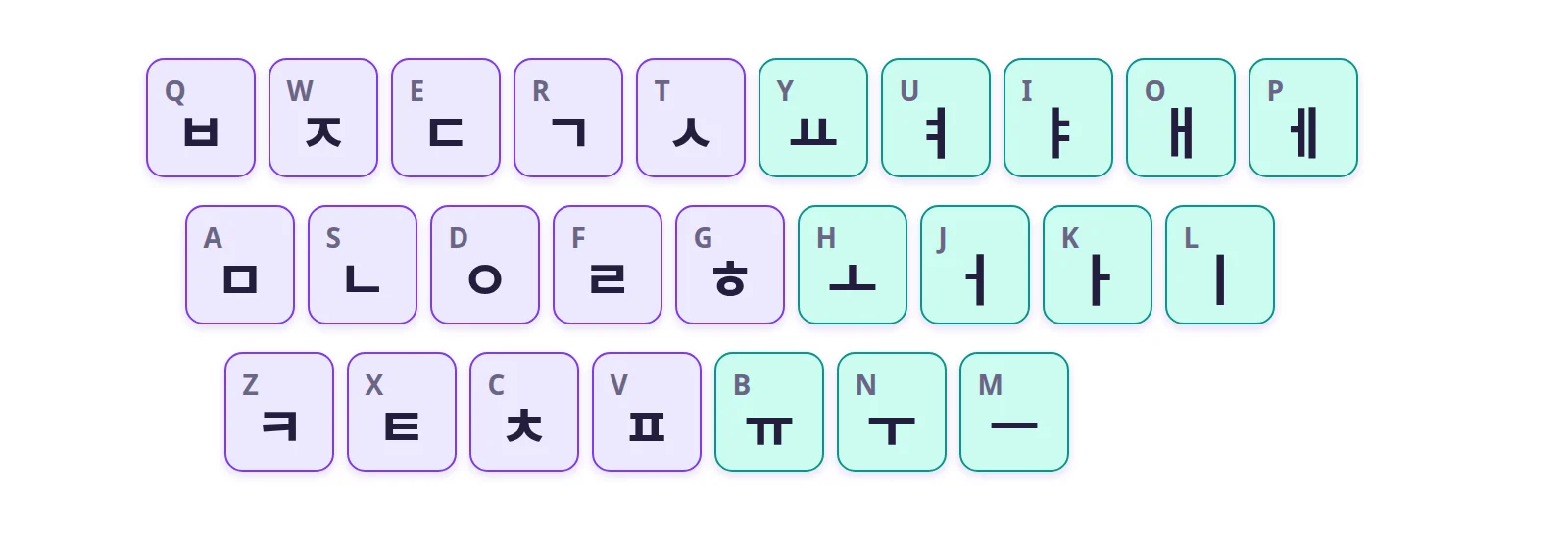
Since syllables alternate consonants and vowels, your hands alternate constantly, which makes for a very even typing rhythm.
The five double consonants (ㅃ ㅉ ㄸ ㄲ ㅆ) come from Shift plus the single consonant: Q gives ㅂ, Shift + Q gives ㅃ. Likewise, Shift turns ㅐ and ㅔ into ㅒ and ㅖ.
How blocks form as you type
Take "annyeong" (hello), written 안녕:
- Type ㅇ (D key): the screen shows ㅇ.
- Type ㅏ (K key): the two letters combine into 아.
- Type ㄴ (S key): ㄴ goes underneath, 안.
- Type ㄴ again: it can't be added to the first block, so a new block starts, 안ㄴ.
- Type ㅕ (U key): 안녀.
- Type ㅇ (D key): it goes underneath, 안녕.
You never need to mark the end of a block: the software works it out from the next letter.
The other layout: sebeolsik
There's also a "three set" layout, sebeolsik (세벌식), which separates syllable-initial consonants, vowels and final consonants. It removes some ambiguities and its fans find it faster, but it remains a niche choice, a bit like Dvorak next to QWERTY.
On a phone: cheonjiin
On mobile, many Koreans use the cheonjiin keyboard (천지인, "heaven, earth, human"), offered by Samsung among others. It builds every vowel from three keys:
- ㅣ (human, a vertical stroke),
- ㆍ (heaven, a dot),
- ㅡ (earth, a horizontal stroke).
For example, ㅣ then ㆍ gives ㅏ, and ㆍ then ㅣ gives ㅓ. The consonants are spread over the other keys. QWERTY-style dubeolsik keyboards exist on phones too.
Writing Korean on your computer
- Without installing anything: our Korean keyboard shows the dubeolsik layout, assembles the blocks automatically and lets you type on your own keyboard.
- Windows: add "Korean" in Settings > Time & language > Language & region. The right Alt key (or clicking "A" in the taskbar) switches between Latin letters and Hangul.
- macOS: System Settings > Keyboard > Input Sources, then add "Korean – 2-Set".
Tips for learning
- Learn to read Hangul first: once blocks make sense, the keyboard does too.
- Type directly in Hangul rather than in romanisation: you'll link sound and movement faster.
- Start with the vowels on the right hand, which are fewer, then add the consonants.
Korean hardly uses Chinese characters (hanja) in everyday life any more. So you type what you hear, without picking from a list of characters as in Chinese or Japanese.
Further reading
- Our Korean keyboard
- Understanding Japanese input
- Typing Chinese: Pinyin and Wubi
- Hangul (Wikipedia)
- King Sejong Institute: Korean courses