
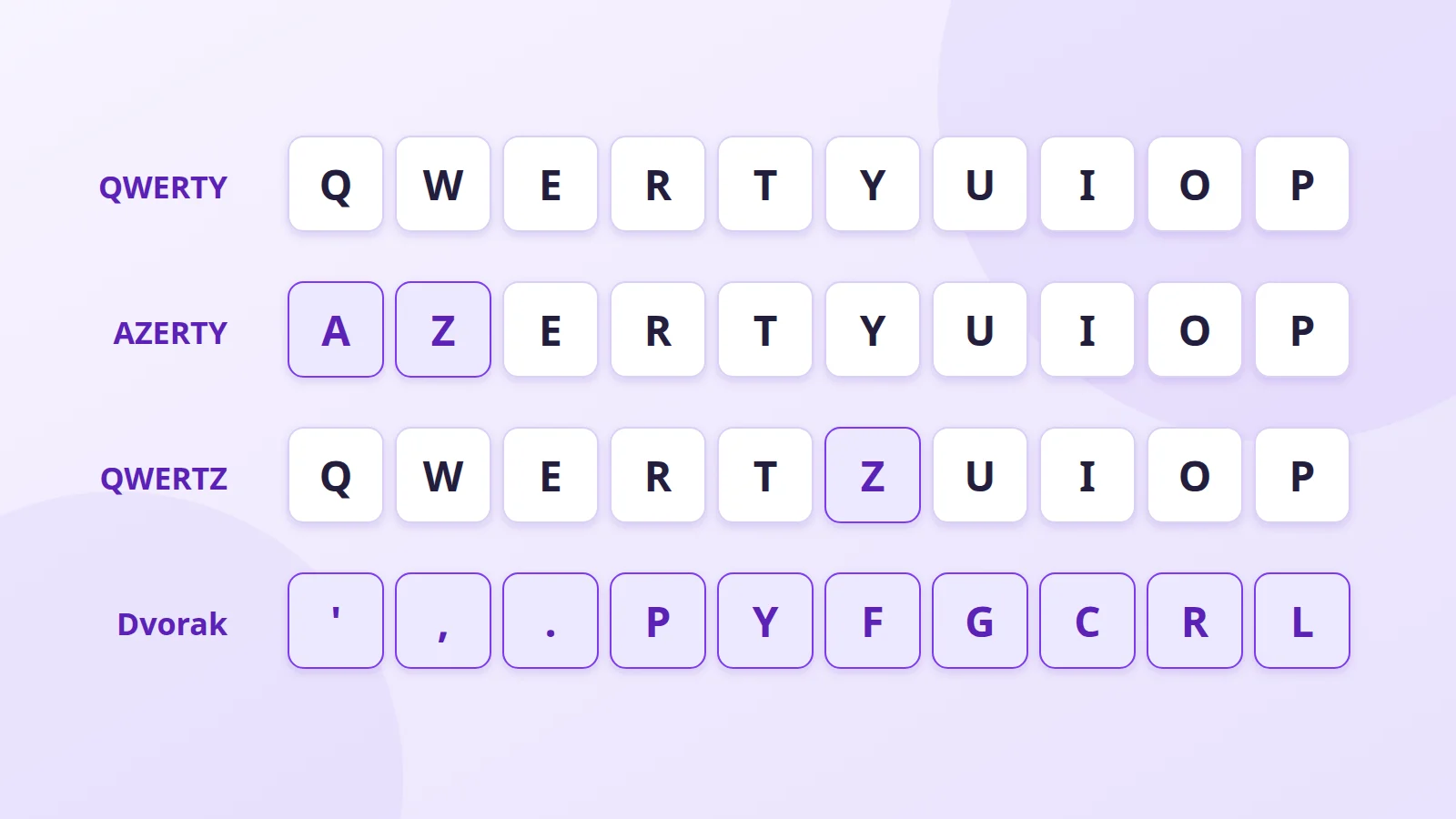
The letters on your keyboard aren't arranged to help you type fast. Their order comes from 19th-century typewriters and has survived out of habit. More logical layouts exist; here's what they're worth and who they suit.
The historical layouts
QWERTY
Settled around 1873 on the Sholes and Remington machines (see our history of the keyboard), QWERTY is the world standard. It wasn't designed for comfort: the left hand does more work than the right, and in English only about a third of keystrokes land on the home row (ASDF JKL), where your fingers rest.
AZERTY
AZERTY is a French adaptation of QWERTY that appeared in the late 19th century and became the norm in France and Belgium. For writing French it has real flaws:
- the full stop and the digits need Shift;
- é, è, ç and à are available directly, but their capitals É, È, Ç, À are not;
- Œ, the « » quotation marks and the non-breaking space need shortcuts;
- Belgian and French keyboards aren't quite identical.
QWERTZ
Used in Germany, Austria, Switzerland and Central Europe, it swaps Z and Y, because Z is far more common in German, and adds Ä, Ö, Ü and ß.
The optimised layouts
Dvorak (1936)
August Dvorak put the vowels under the left hand and the most common English consonants under the right. The result: about 70% of keystrokes on the home row, against a third on QWERTY, and a steady alternation between hands.
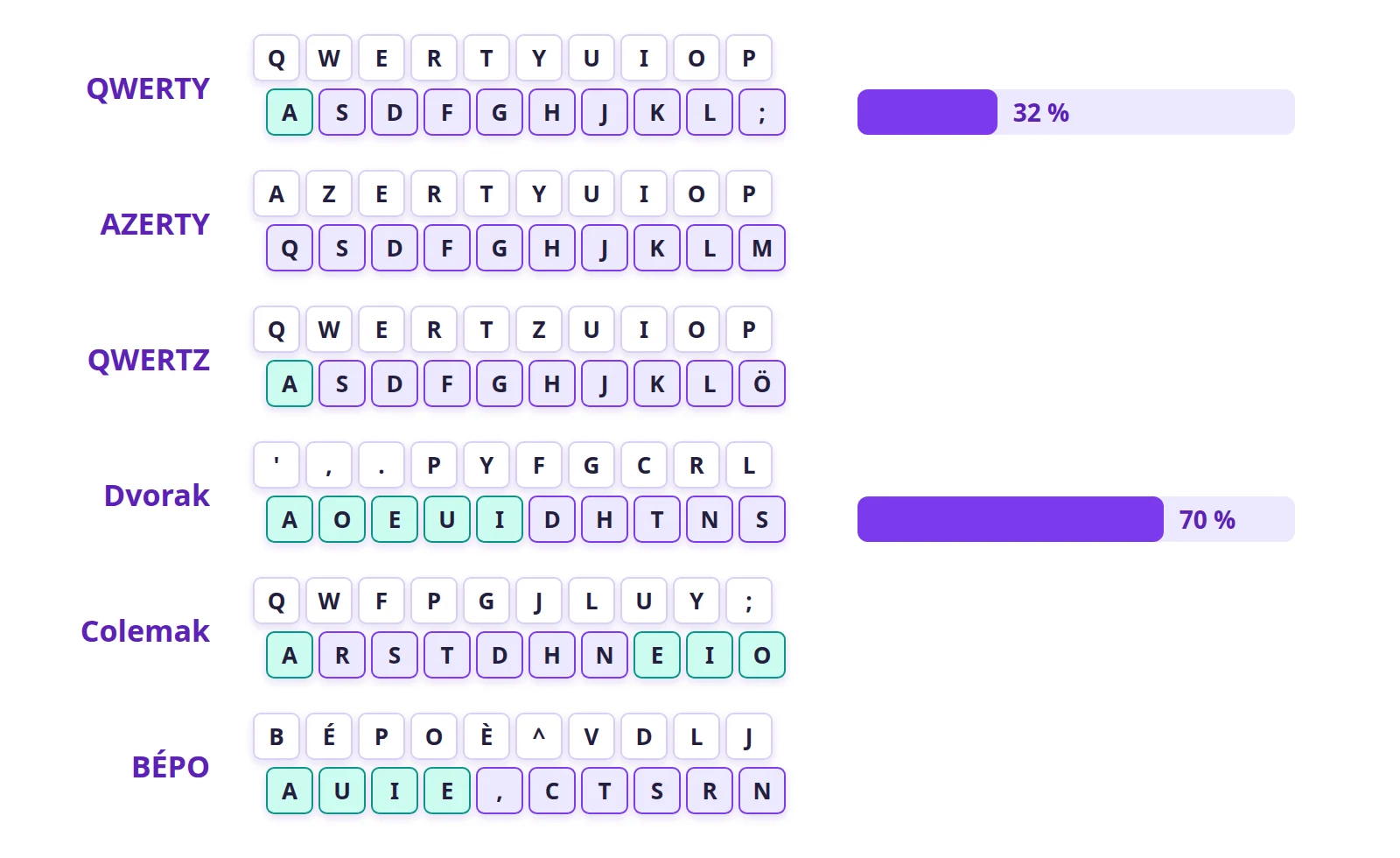
It's often said to be faster, but the studies behind that claim are old and disputed; the clearest gain is comfort. Dvorak is built into Windows, macOS and Linux.
Colemak (2006)
Colemak keeps most QWERTY keys and moves only 17. The Ctrl+Z, X, C and V shortcuts stay where they are. It's easier to learn than Dvorak and popular with programmers. It's built into macOS and Linux; on Windows you have to install it.
BÉPO
BÉPO is the French equivalent of Dvorak, a free project built from an analysis of French text:
- vowels on the left, common consonants on the right;
- É, È, À, Ç, Œ, « » and all their capitals available directly;
- the full stop without Shift.
Typing French on BÉPO is much smoother. The price: relearning to type (two to four hard weeks), and feeling lost on everyone else's AZERTY keyboard. BÉPO is available on Linux and in recent versions of Windows 11.
France's 2019 AZERTY standard
In 2019, the French standards body AFNOR published standard NF Z71-300. It defines an improved AZERTY and also recognises BÉPO as a French layout.
The improved AZERTY keeps the letters where they are, so as not to upset habits, but:
- gives access to accented capitals (À, É, Ç…);
- adds useful characters such as « » quotation marks, the em dash and the non-breaking space;
- makes regional and European languages easier to write.
A few keyboards sold in France already use it, often with extra coloured labels. On Windows and macOS it can be installed as a software layout.
How to switch layouts
You don't need to buy a keyboard: the layout is a system setting.
- Add the layout in your Windows, macOS or Linux language settings.
- If the printed labels get in the way, use stickers or a keyboard with blank keycaps.
- Practise a little every day on a site such as Keybr or Monkeytype.
Which one should you choose?
- Stay on QWERTY if you switch computers often or don't type much.
- Try Colemak if you type a lot in English and want more comfort without losing your shortcuts.
- Try Dvorak if you're ready to start from scratch for maximum comfort.
- Use US-International if you also write in other European languages: its dead keys give you accents without a new layout.
Further reading
- The history of the keyboard
- Mechanical keyboards
- Stenotype: typing at the speed of speech
- Bépo.fr, the BÉPO layout site (in French)
- AFNOR: the French keyboard standard (in French)
- Colemak.com